The miracles of modern technology have transformed our world. Nearly everyone has some little gadget that they can’t be without, including things like smartphones, iPads, and laptops. Though these things are very useful, they do present a tempting target for thieves. You can follow these steps to protect your home and your gadgets from the grasping hands of thieves.
Protecting Your Data
One of the main ways that these gadgets present a security risk is through data theft. Thieves will steal information from these gadgets that will allow them to steal your identity or make purchases without your consent. This kind of date theft can be prevented with a few simple steps.
1. Passwords
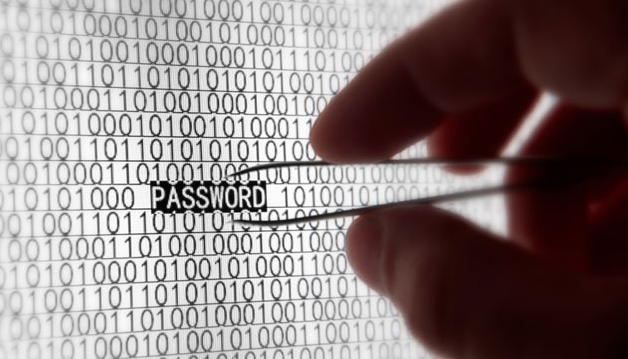
The first step is to use good passwords. Make sure your smartphone, iPad or laptop locks when it is not in use. Use a good password that has both lower and uppercase letters as well as numbers. You should not use things like birthdays or other personal information to create a password. Use something random that the thief could never guess.
The first step is to use good passwords. Make sure your smartphone, iPad or laptop locks when it is not in use. Use a good password that has both lower and uppercase letters as well as numbers. You should not use things like birthdays or other personal information to create a password. Use something random that the thief could never guess.
2. Install a Remote Locating Program
As well as protecting your data with passwords, you can also install some programs that will help if your gadget does get stolen. There are programs that you can install on iPads, laptops and smartphones that will allow you to locate them if they are stolen. If you have one of these programs installed and the thief connects to a network, then you can instantly locate them and call the police to recover your gadget.
As well as protecting your data with passwords, you can also install some programs that will help if your gadget does get stolen. There are programs that you can install on iPads, laptops and smartphones that will allow you to locate them if they are stolen. If you have one of these programs installed and the thief connects to a network, then you can instantly locate them and call the police to recover your gadget.
3. Install a Remote Wiping Program
There are also remote wiping programs that can be installed on your computer to protect your data. These will wipe the data on your computer or mobile device to prevent the thief from stealing your personal information.
There are also remote wiping programs that can be installed on your computer to protect your data. These will wipe the data on your computer or mobile device to prevent the thief from stealing your personal information.
4. Protect Your Emails
When you are sending emails with your Apple gadget, you should use a secure email tool like Good for Enterprise. This program will beef up the encryption of the emails you send, making them nearly impossible for hackers to read them.
When you are sending emails with your Apple gadget, you should use a secure email tool like Good for Enterprise. This program will beef up the encryption of the emails you send, making them nearly impossible for hackers to read them.
5. Surfing Safely
One way that people get their data stolen often is by surfing on insecure networks. Identity thieves love to take advantage of this. You can prevent this by using a virtual private network (VPN) whenever you are using a Wi-Fi connection. This VPN will prevent thieves from seeing what you are doing on your computer, keeping all of your browsing activity secure.
One way that people get their data stolen often is by surfing on insecure networks. Identity thieves love to take advantage of this. You can prevent this by using a virtual private network (VPN) whenever you are using a Wi-Fi connection. This VPN will prevent thieves from seeing what you are doing on your computer, keeping all of your browsing activity secure.
6. Protecting Your Home
You should also take advantage of these gadgets to secure your home. You should install a high tech security system that will protect your home from intruders. You can sync this high tech security system with your gadgets to keep an eye on your home when you are not there. This will allow you to do things like watch video feeds from your home on your iPad from anywhere that you have an Internet connection.
You should also take advantage of these gadgets to secure your home. You should install a high tech security system that will protect your home from intruders. You can sync this high tech security system with your gadgets to keep an eye on your home when you are not there. This will allow you to do things like watch video feeds from your home on your iPad from anywhere that you have an Internet connection.