Try the Most Addicted Game - Real Rocket Racing 3d Game

Showing posts with label Backup. Show all posts

Tuesday, December 24, 2013

Data Management: Five Tools And Services That Can Help Your Business

The term "Data Management" is used in a number of different ways, depending on the industry being referenced. However, a good working definition, although rather broad, would be "The development and use of structures, policies and procedures required to efficiently and effectively manage business-based information through its entire life-cycle." There are five basic guidelines your business can follow in order to better manage your critical data.

Go Paperless: 
In this digital age, the importance of migrating away from paper-based data can hardly be exaggerated. Electronic data is more easily retrieved when needed, easier to store, easier to secure, and easier to destroy at the end of its useful life. If you don't have the technology to convert your data to digital form, there are numerous companies who can be contracted to accomplish this.

Structure Your Data: 
Getting your valuable data into an architecture that can be readily integrated into a database will make the control and retrieval of that data much more efficient. Once again, if your organization doesn't have the technical expertise needed to accomplish this, it can easily be outsourced to a company that does.

Secure Your Data: 
By restricting access to data you reduce the chance that it can be tampered with, altered, corrupted, or accidentally destroyed. You can control which employees have access to specific types or classes of data, based on the organizational structure you use.

Backup and Store Data Regularly: 
Live data that is constantly being accessed and updated can be stored on a data server where it is readily available to anyone who is authorized. Archived data, which is static and cannot be altered can be placed on storage media such as CD's and transported to a secure offsite location. All data should be backed up regularly and stored offsite as part of a disaster recovery plan.

Destroy Old Data: 
Once data has reached the end of its life cycle it needs to be destroyed. No matter what form the data may take, from server backup discs to computer hard drives, even flash drives and retired cell phones which may hold valuable data, it will all need to be destroyed. Professional services are available for this task and they will follow all industry best practices and document what they destroy.

Data management can encompass quite a lot and it requires a significant number of man-hours to do properly. If your organization can't dedicate those resources, data management groups like Hivelocity can step in. 

Sunday, July 21, 2013

Top Online Data Backup Services:

The regular computer user would not be able to tell you that he feels insecure about the hard drive cash removing all of his crucial photos, files, videos, music and much more. Despite being aware that how important it is to back up their data in order to save their valuable files from getting lost, people without any hesitation admit that they are unable to back up their information on a daily basis. In order to save yourself from such predicament the outstanding online services have been introduced which are convenient and the safest way to back up your major information automatically to a location, which is off the site you are working on.

Excellency of the Service:
If by any chance you are experiencing failures in your computer's hard drive then you will have an access straight away from any other computer's modern web browser. Various data online services provide mobile apps which also permit you to get access to your important data via your mobile devices. The top most three data online services which provide this facility include MyPC Backup, SugarSync and OpenDrive which offer various services which mark the quality and standard of the data backup services.
Back up services provide you ultimate convenience by saving your data off the site so that just in case your computer gets stolen, or crashes or it is destroyed by any means, then you can always regain it through the secured servers of such services where your information is protectively saved. Another benefit of online data backup services is that you wouldn't be required to copy the data on Dvd's or CD's. When you burn your information on such tools then the chances of losing your data also get increased. You never know you can accidentally forget to keep them at any unusual place or non- deliberately you damage you DVD or CD for which you would regret later
.
So instead of opting for such tools if you will save your data on online data backup services where your data will remain protected even if god forbid any catastrophic situation occurs in your vicinity, also in case of burning your lengthy notes and other important data on CDs and Dvds ends up in creating a bunch of CDs lying around everywhere which also sometimes get mixed up making difficult for you to re- organize them. These services are absolutely remarkable and very easy to use you won't require a computer of an upgraded or higher level to save your data on the back up services.

Features Involved In This Service:  
Features that are involved by these incredibly designed services involve upgraded backup and file managers, archiving, automatic backups, etc. The best back up services must be composed of the intriguing user interface that is appealing enough to attract the users along with being simple to carry out the processes of transferring and syncing data feasibly.

Thus we can say that online backup services works as the idealistic traditional backup software. With this outstanding facility you can transfer your data permanently on the secured internet servers and get it safely stored there within the surveillance of the professional data center. 

The article is written by Gloria Philips and she recommends top online backup sites to her readers.


Wednesday, April 17, 2013

Protect Your Tech: Six Tips for Tablets, Phones, Home and More

The miracles of modern technology have transformed our world. Nearly everyone has some little gadget that they can’t be without, including things like smartphones, iPads, and laptops. Though these things are very useful, they do present a tempting target for thieves. You can follow these steps to protect your home and your gadgets from the grasping hands of thieves.

Protecting Your Data
One of the main ways that these gadgets present a security risk is through data theft. Thieves will steal information from these gadgets that will allow them to steal your identity or make purchases without your consent. This kind of date theft can be prevented with a few simple steps.
1. Passwords
The first step is to use good passwords. Make sure your smartphone, iPad or laptop locks when it is not in use. Use a good password that has both lower and uppercase letters as well as numbers. You should not use things like birthdays or other personal information to create a password. Use something random that the thief could never guess.
2. Install a Remote Locating Program
As well as protecting your data with passwords, you can also install some programs that will help if your gadget does get stolen. There are programs that you can install on iPads, laptops and smartphones that will allow you to locate them if they are stolen. If you have one of these programs installed and the thief connects to a network, then you can instantly locate them and call the police to recover your gadget.
3. Install a Remote Wiping Program
There are also remote wiping programs that can be installed on your computer to protect your data. These will wipe the data on your computer or mobile device to prevent the thief from stealing your personal information.
4. Protect Your Emails
When you are sending emails with your Apple gadget, you should use a secure email tool like Good for Enterprise. This program will beef up the encryption of the emails you send, making them nearly impossible for hackers to read them.
5. Surfing Safely
One way that people get their data stolen often is by surfing on insecure networks. Identity thieves love to take advantage of this. You can prevent this by using a virtual private network (VPN) whenever you are using a Wi-Fi connection. This VPN will prevent thieves from seeing what you are doing on your computer, keeping all of your browsing activity secure.
6. Protecting Your Home
You should also take advantage of these gadgets to secure your home. You should install a high tech security system that will protect your home from intruders. You can sync this high tech security system with your gadgets to keep an eye on your home when you are not there. This will allow you to do things like watch video feeds from your home on your iPad from anywhere that you have an Internet connection.


Saturday, December 22, 2012

Five Ways You Can Stop Hackers in Their Tracks


Hackers persist in ways that ordinary criminals could never get away with. They prey on people who are unwise about the way computers work and rely on exploiting vulnerabilities in everyday software to gain unauthorized access to their personal computers. Once they're inside, they can steal every piece of data stored on that computer, including credit cards, personal information and more. Some hackers can be so ruthless that they steal everything from people regardless if it's related to personal, business or even charity interests.

Needless to say, they can make a real mess of things.

The good news is that they can be stopped. There's five easy things that you can do to protect yourself from hackers.

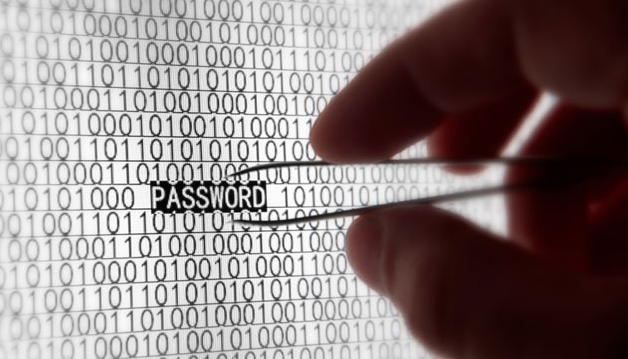
1. Use Strong Passwords That You Can Remember
Simply put, weak passwords that are under seven characters are easy for hackers to guess. If they can't guess them, they can input every combination of characters until they get them, provided they really want to.

Make your passwords strong by mixing letters and numbers together. Instead of “golfing” for your passwords, use something like “82golfing55”, where the first two digits signify the year you started doing something and the last two another year that only you would know.

2. Antivirus Software
One of the most common ways hackers gain access to your computer is through malicious software. The best way to counter this is to use an up-to-date antivirus program that automatically scans files you download and provides you with a periodic scan of your entire hard drive. Most antivirus programs can detect things that might be malicious using heuristic scans.

3. Updated Software
Manufacturers release regular updates to software that patch the security holes that hackers use to gain access to your system. Regularly check for updates for the software that you use the most, which includes any internet browsers and operating system software.

4. Firewalls
You can't fix every hole that software and manufacturers aren't always the best to rely on for timely patches. What they don't fix can be secured by a good firewall. A firewall will allow you to regulate who and what access your computer, and a better one will allow you to regulate what leaves your computer.

5. Be Smart
Out of all these tips, this is the most important one. If hackers didn't have any holes in software, they would still be able to gain access to computers by using something called “social engineering.” They can trick you into entering sensitive things like your bank login information by using pages that look real. Always check the URL of the page you're on and make sure you know who you're talking to.

About the Author:
Madyson Grant is currently pursuing a degree at an Engineering Institute using an advanced diploma kit. She is using her knowledge to blog about the ways to protect yourself online.